Description
If you want to buy by card you can use this version: https://apps.garmin.com/apps/96218381-d074-41e4-a43d-aaf59c236c15
If you're enjoying the app, please leave a ⭐️⭐️⭐️⭐️⭐️ rating or review. It would mean a lot to me, thank you!
In order to send Activation Code, you should send a donation to my PayPal account:
https://paypal.me/EDUARDBELCIUG?locale.x=en_US
If the link doesn’t work try to find me in PayPal using my mail address : [email protected]
Be sure to indicate the name of the watch face and your Activation ID(You can find Activation ID in watch face settings). Then i will send you the Activation Code in order to activate the full version of the watch face.
Consider giving to a friend to avoid fees please.
Please try also the other face implemented by me!!!
You have unlimited trial but please reinstall once you encounter the trial screen OR purchase your Activation Code.
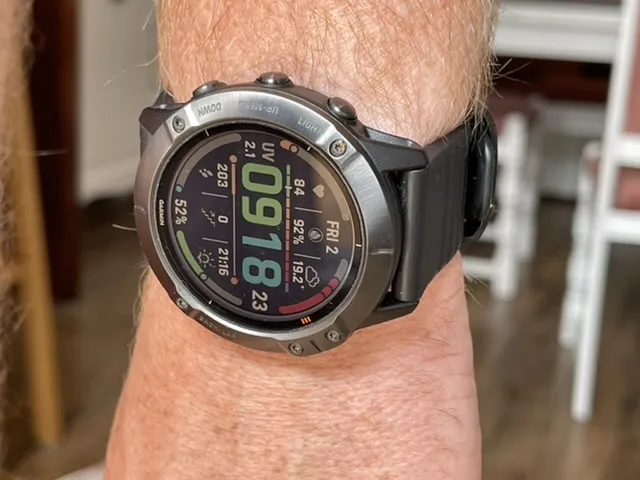
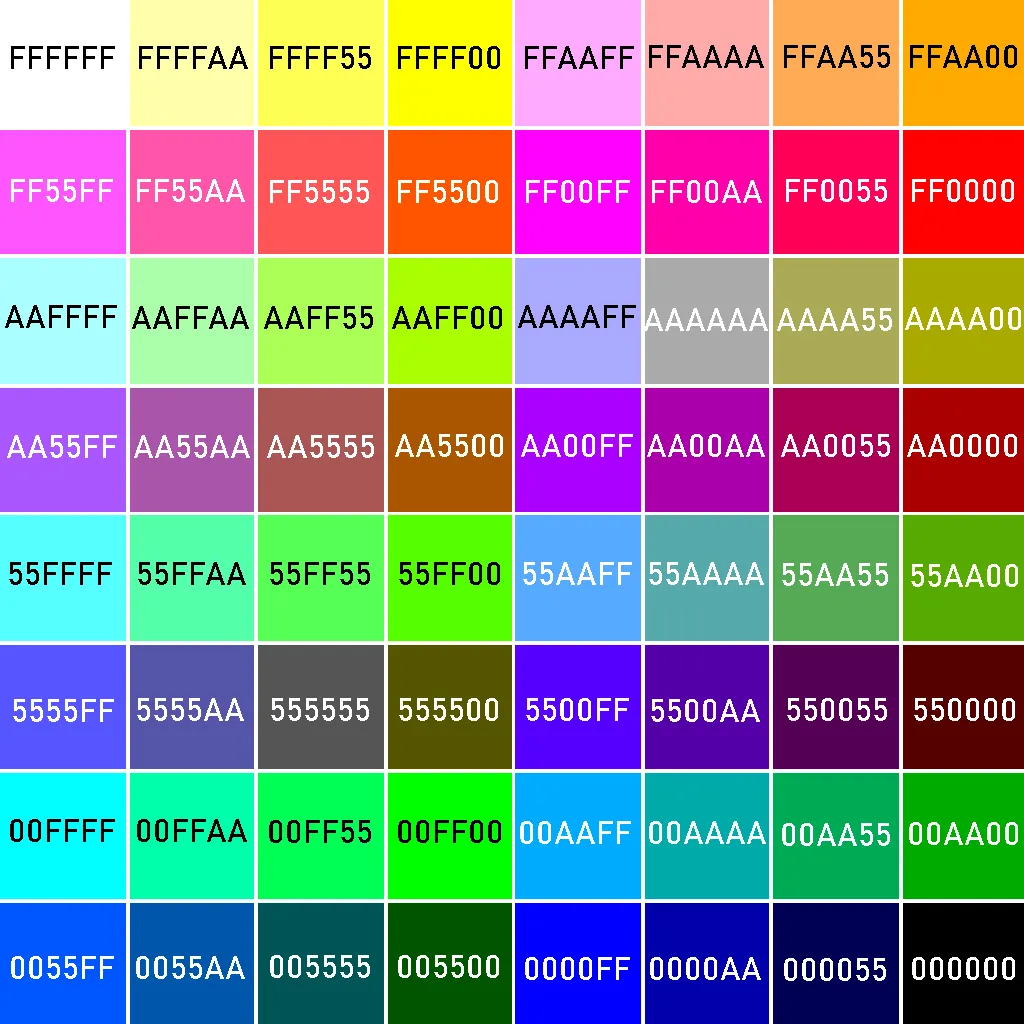
To change colours you have to use the codes from the 4th photo from description.
Sunrise - Sunset - You should start an activity the use GPS, wait until the GPS is connected, then close that activity and Sunrise - Sunset will work
Using OpenWeatherMap as a provider for Weather Chart, Current Weather, UV, AQI and Wind info
The watch face uses the new Open Weather Map One Call API 3.0 which supports current, minutely, hourly and daily weather information.
This Open Weather Map API is free for the first 1000 calls per day but requires a subscription including credit card information.
Note that the watch app makes limited use of API calls and you can control how frequently the weather information is pulled.
using OpenWeatherMap as a provider for weather and UV info
How do I create an OpenWeatherMap API key?
To do this, you need to do a few simple steps:
- Visit https://openweathermap.org/ and log into your account (register).
- Go to https://home.openweathermap.org/api_keys
- Copy the key that have 32 characters and paste it into the settings of the watchface
- after entering your API key in settings, you should open an activity that use GPS and wait until the GPS is connected (green); you can close that activity after that
- first time could take up to 15-20 minutes until the weather will be display
What is new
It will be very helpful for me and I will appreciate if you will add a short review in the store for this watchface(2 - 3 words, or you can only choose a star from 1 to 5(in this case your name will not appear there)).
- 4.4.0 - added support for fenix 9
Version 4.3.7
- added Full Date option in Field Up
Version 4.3.0
- OpenWeatherMap One Call API 3.0
Version 4.2.0
- trying to fix the weather issue
- please comment if was fixed
Version 4.0.0 - 15.01.2023
- new field in the right of the time
- new options for the field from the left of the time
- new options for Field 1 - Field 6 : Weight, Humidity from Open Weather Map
- new option to set the color for empty value for the Bars from the ring
- added an icon for the Week Number option
Version 3.5.3 - 21.09.2022
- fixed OpenWeatherMap functionality for new free and startup users (those that are creating from this moment accounts in OpenWeatherMap site). For these new users, the UV info will not be available because ONE CALL api from OpenWeatherMap is working only with a subscription on their site
Version 3.5.0
the following options are only for models that support Connect IQ system 5 and receive a software update to support this
- respiration rate
- time to recovery
- body battery
- stress level
- runing VO2 Max
- cycling VO2 Max
Version 3.1.0
- added AOD functionality
Version 3.0.0
- added HR bar available for Top Progress Bar and Bottom Progress Bar
- added Temperature from sensor
- added Knots for Wind Speed
- added Alarm icons for Notification
Version 2.5.0
- added a new option in watchface settings Wind Speed Unit: km/h, mph and m/s
- added options to choose different colour for each icon
Version 2.0.0
New Options added:
- wind in km/h or mph, depends on your watch settings
- secondary time
- leading zero
- moon
1.2.1 - fixed a problem when Bluetooth connection is chosen in a Progress bar, until 1.2.1 is available , please do no choose bluetooth connection option in a progress bar
1.2.0 - added Military Format option
- added Sunrise - Sunset - progress bar
- added Field Left - this should be used only when Military Format is checked
1.1.0 - added UV bar and field
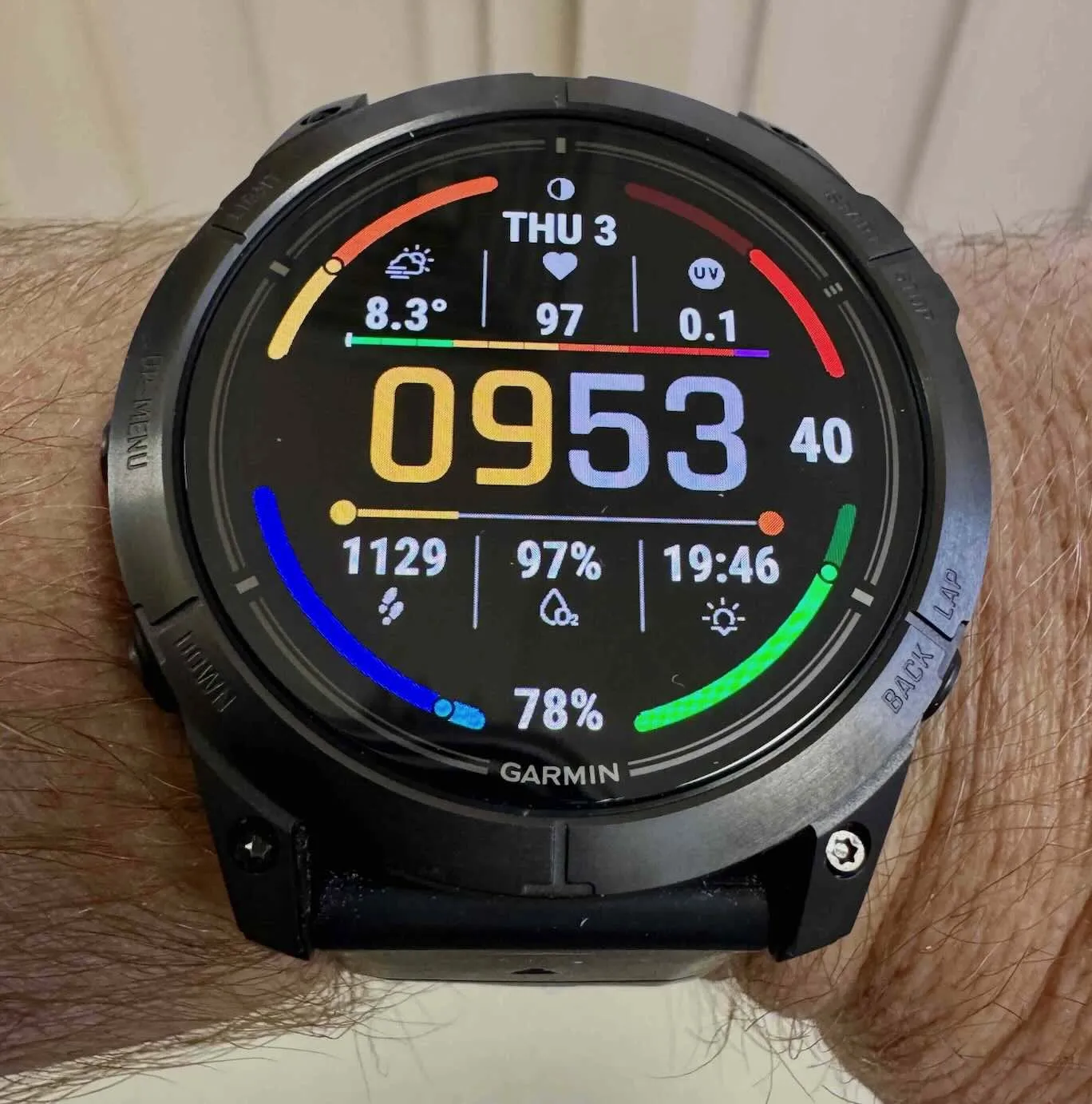
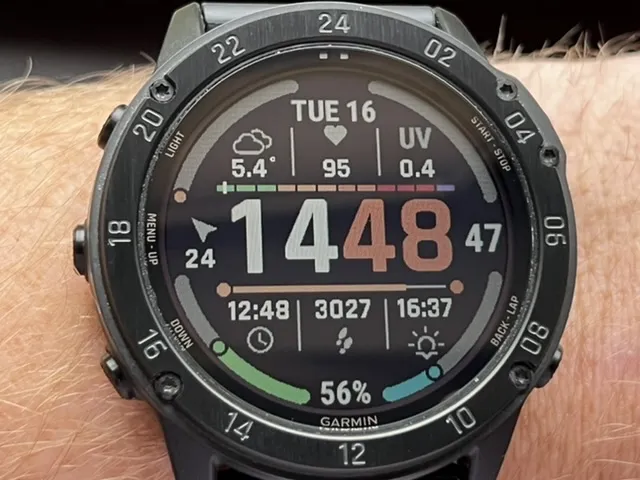
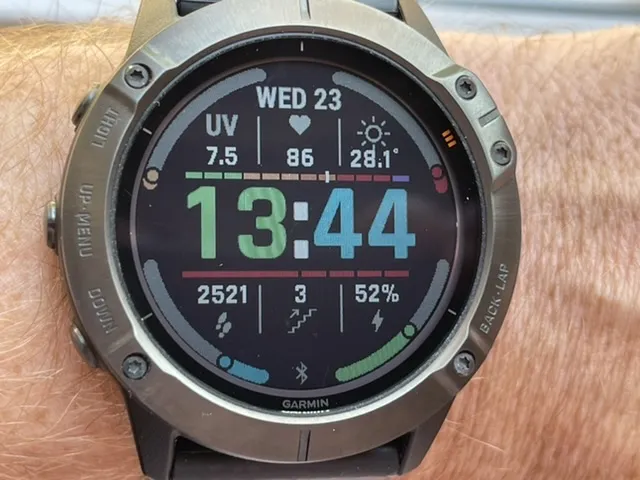
Screenshots
Supported language (1)
Compatible devices (140)
Approach® S70 (42mm)
Approach® S70 (47mm)
D2™ Air
D2™ Air X10
D2™ Mach 1
D2™ Mach 1 Pro
D2™ Mach 2
Darth Vader™
Darth Vader™
Descent™ G2
Descent™ MK2
Descent™ MK2
Descent™ Mk2S
Descent™ Mk2S
Descent™ MK3 - 43mm
Descent™ MK3i - 51mm
Enduro™
Enduro™
Enduro™ 2
Enduro™ 3
epix™ (Gen 2)
epix™ (Gen 2)
epix™ Pro (42mm)
epix™ Pro (47mm)
epix™ Pro (51mm)
fēnix® 5 Plus
fēnix® 5 Plus
fēnix® 5S Plus
fēnix® 5S Plus
fēnix® 5X Plus
fēnix® 5X Plus
fēnix® 6
fēnix® 6
fēnix® 6 Dual Power
fēnix® 6 Pro
fēnix® 6 Pro
fēnix® 6 Pro Dual Power
fēnix® 6 Pro Solar
fēnix® 6 Solar
fēnix® 6S
fēnix® 6S
fēnix® 6S Dual Power
fēnix® 6S Pro
fēnix® 6S Pro
fēnix® 6S Pro Dual Power
fēnix® 6S Pro Solar
fēnix® 6S Solar
fēnix® 6X Pro
fēnix® 6X Pro
fēnix® 7
fēnix® 7
fēnix® 7 Pro
fēnix® 7S
fēnix® 7S
fēnix® 7S Pro
fēnix® 7X
fēnix® 7X
fēnix® 7X Pro
fēnix® 8 AMOLED (43mm)
fēnix® 8 AMOLED (47mm/51mm)
fēnix® 8 Pro
fēnix® 8 Solar (47mm)
fēnix® 8 Solar (51mm)
fenix® 9 - 43 mm
fenix® 9 – 47 mm
fenix® 9 Pro - 43 mm
fenix® 9 Pro - 47 mm
fenix® 9 Pro - 51 mm
fenix® 9 Pro - Solar 47 mm
fenix® 9 Pro - Solar 51 mm
fēnix® E
First Avenger
First Avenger
ForeAthlete 245
ForeAthlete 245 Music
ForeAthlete 745
Forerunner® 245
Forerunner® 245
Forerunner® 245 Music
Forerunner® 245 Music
Forerunner® 255
Forerunner® 255 Music
Forerunner® 265
Forerunner® 265S
Forerunner® 570 - 42mm
Forerunner® 570 - 47mm
Forerunner® 745
Forerunner® 945
Forerunner® 945
Forerunner® 945 LTE
Forerunner® 955 Dual Power
Forerunner® 965
Forerunner® 970
Instinct® 3 – 45 mm, AMOLED
Instinct® 3 – 50 mm, AMOLED
MARQ® (Gen 2)
MARQ® Adventurer (Gen 3)
MARQ® Commander (Gen 2) – Carbon Edition
MARQ™ Adventurer
MARQ™ Adventurer
MARQ™ Athlete
MARQ™ Athlete
MARQ™ Aviator
MARQ™ Aviator
MARQ™ Aviator (Gen 2)
MARQ™ Captain
MARQ™ Captain
MARQ™ Commander
MARQ™ Commander
MARQ™ Driver
MARQ™ Driver
MARQ™ Expedition
MARQ™ Expedition
MARQ™ Golfer
MARQ™ Golfer
Mercedes-Benz Venu®
Mercedes-Benz Venu®
Mercedes-Benz Venu® 2
Mercedes-Benz Venu® 2
Mercedes-Benz Venu® 2S
Mercedes-Benz Venu® 2S
quatix® 6
quatix® 6X
tactix® 7
tactix® 7 – AMOLED Edition
tactix® 8 – 47 mm, AMOLED
tactix® 8 – 51 mm, Solar
Venu®
Venu®
Venu® 2
Venu® 2
Venu® 2 Plus
Venu® 2 Plus
Venu® 2S
Venu® 2S
Venu® 3
Venu® 3S
vívoactive® 4
vívoactive® 4
vívoactive® 5
Recent metric trend
Rating
Reviews
Snapshot dates
2026-10-27 → 2026-11-03