Description
A good round starts with a clear view.
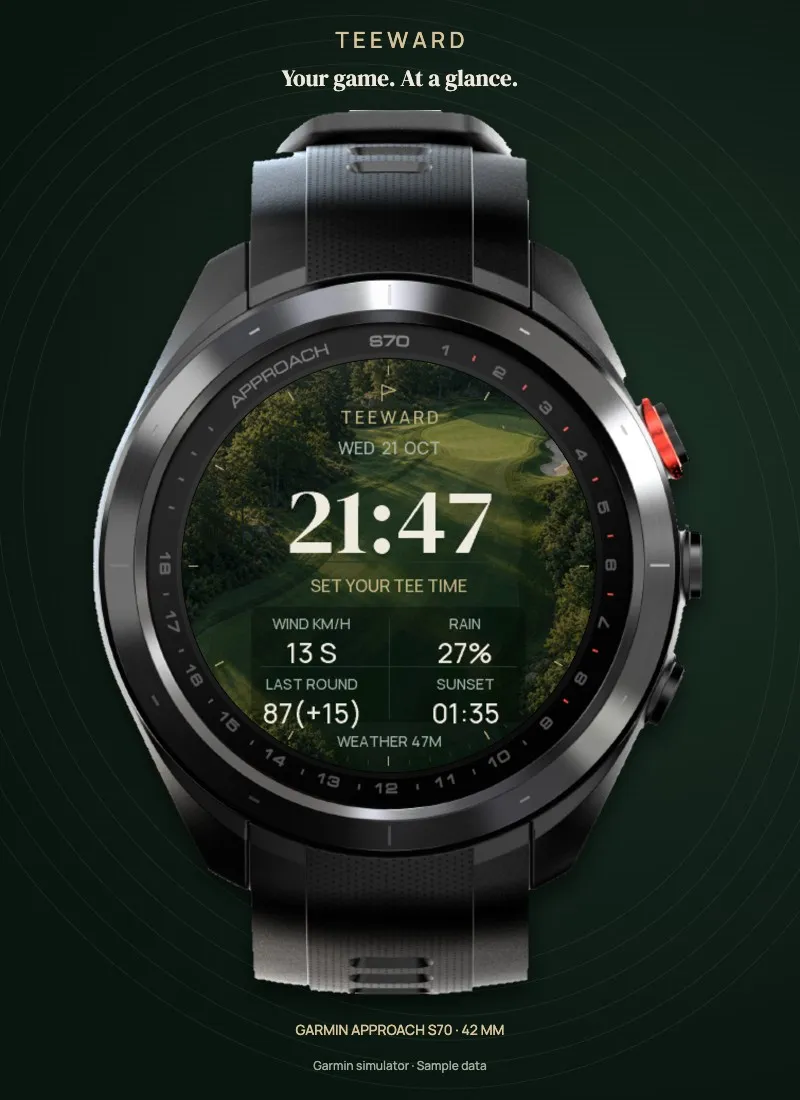
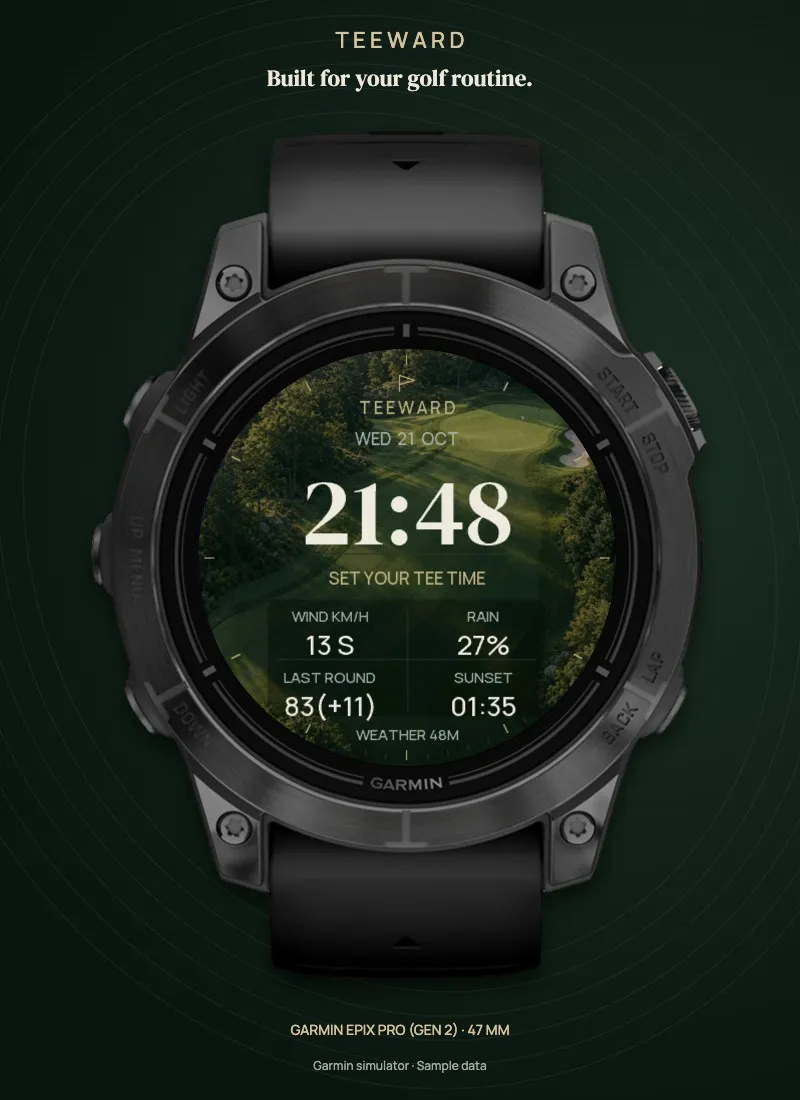
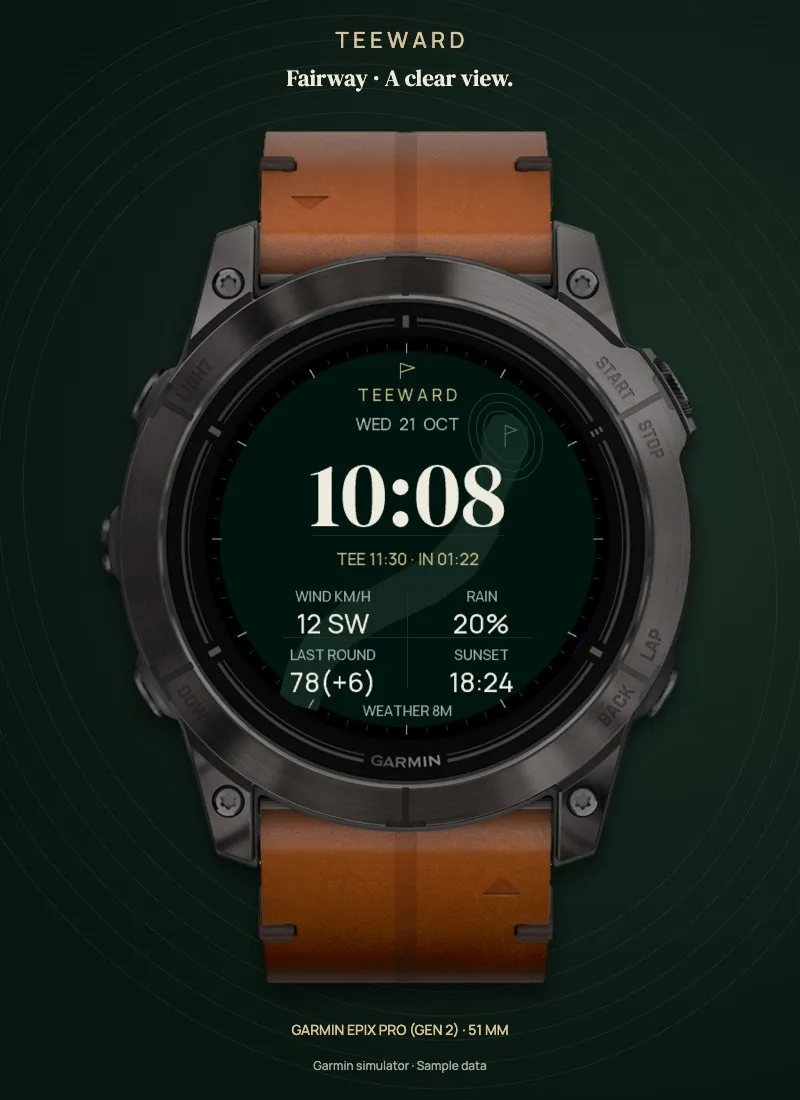
TEEWARD brings your golf routine to your wrist: your next tee time, the weather and your last round score. A generous time display, subtle fairway contours and four considered collections give every detail room to breathe.
YOUR DATA. YOUR LAYOUT.
Choose four data fields independently. Options include wind, chance of rain, last Garmin round score, sunset, a manually entered handicap, temperature, battery, remaining daylight, steps, Body Battery, stress, heart rate, a blank field and the estimated latest start before sunset.
YOUR NEXT ROUND.
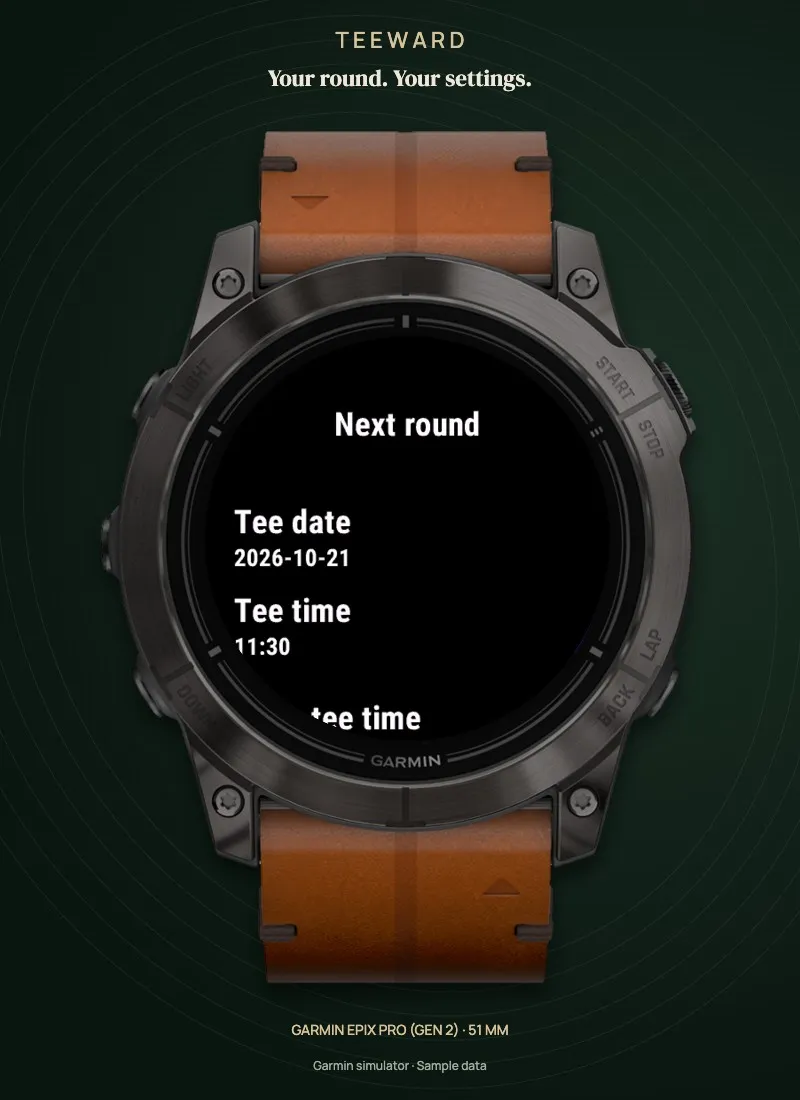
Enter your tee date and time. On the day, TEEWARD shows the time remaining before your start. Later dates show the scheduled time and date. You can also add your personal handicap manually.
FOUR COLLECTIONS.
Evergreen pairs deep green with warm accents. Platinum combines graphite and silver. Midnight brings a quiet dark blue. Ivory reverses the active display with a light ivory background and dark green lettering. Choose a photographic scene of a fictional course, subtle fairway contours or a minimal background.
A CLEAR ALWAYS-ON DISPLAY.
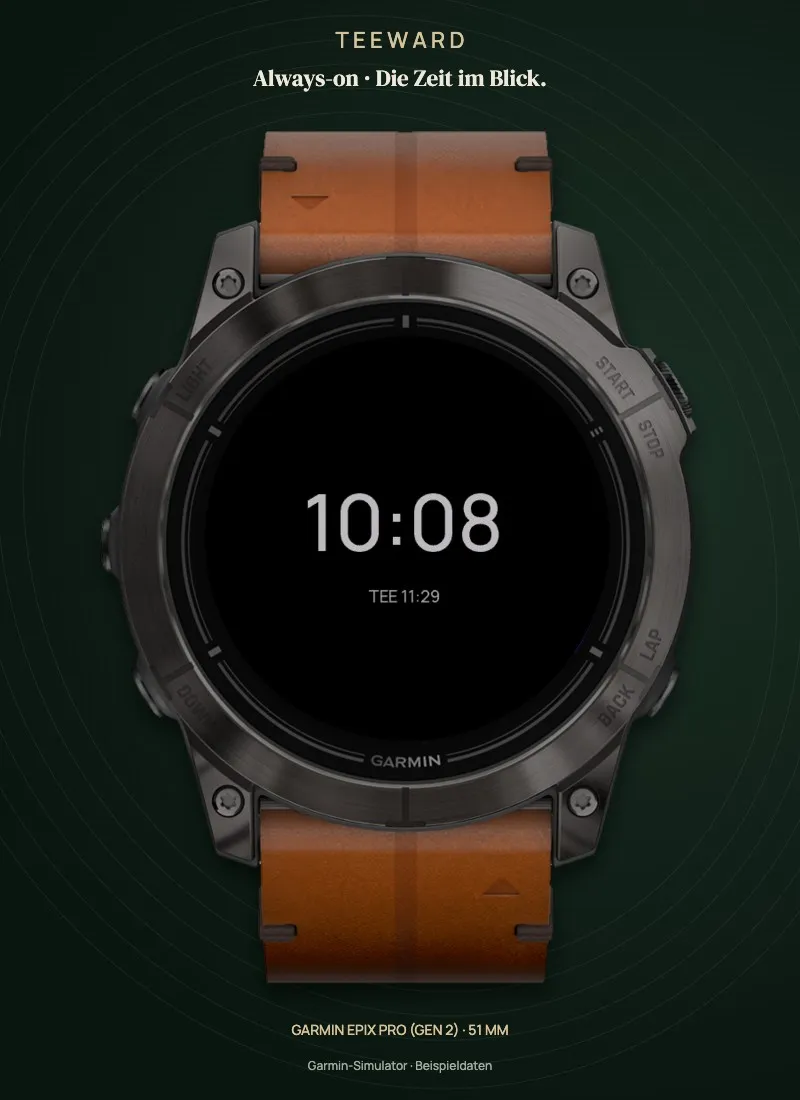
The dedicated AOD design uses large, clear numerals on black. Your next tee time can appear underneath. Two contrast levels and regular position changes complete the display.
SET IT YOUR WAY.
English and German. 12- or 24-hour time. Wind in km/h, mph or m/s. Temperature in Celsius or Fahrenheit. Adjustable round duration and daylight buffer. Round focus hides physiological data fields.
DATA WITH CONTEXT.
Weather comes from Garmin's weather cache. Its age is shown, and old weather readings are hidden. The last round score comes from Garmin's native golf complication when supported by your device, firmware and saved data. Missing values appear as --.
PLEASE NOTE
TEEWARD is a watchface. Use your Garmin's native Golf activity for live front, middle and back distances, hole maps, PlaysLike and shot tracking. Tee time and handicap are entered manually. There is no automatic WHS or booking-system integration. The latest start is a planning estimate based on sunset, your planned round duration and a buffer. Weather data is not an on-course wind measurement. The photograph is an original generated scene of a fictional course. The backgrounds are decorative; the fairway artwork does not depict a real course. Follow local competition rules and the committee's decisions.
Always-on behavior also depends on device settings. Assess Ivory outdoors on your device with suitable display brightness. Images contain sample data. Device images combine original Garmin device artwork from the Connect IQ simulator with native simulator displays; they are not photographs of physical devices.
TEEWARD. Golf, in order.
What is new
First edition with four collections including Ivory, three backgrounds, four configurable data fields, a dated tee time and countdown, last Garmin golf score, weather age and a dedicated AOD. Configure on your watch or in Connect IQ. Clear guidance to enter your tee time through settings.
Screenshots
Supported languages (2)
Compatible devices (15)
Approach® S70 (42mm)
Approach® S70 (47mm)
D2™ Mach 1 Pro
epix™ (Gen 2)
epix™ (Gen 2)
epix™ Pro (42mm)
epix™ Pro (47mm)
epix™ Pro (51mm)
fēnix® 8 AMOLED (43mm)
fēnix® 8 AMOLED (47mm/51mm)
fēnix® 8 Pro
MARQ® (Gen 2)
MARQ® Commander (Gen 2) – Carbon Edition
tactix® 7 – AMOLED Edition
tactix® 8 – 47 mm, AMOLED
Recent metric trend
Rating
Reviews
Snapshot dates
2026-10-27 → 2026-11-01