Description
# Dive Time DT1 – Don't Forget to Check the Time!
**Classic dive-watch styling. Modern smartwatch functionality. A watch face you'll want to admire.**
Transform your Garmin smartwatch with **Dive Time DT1 by DiveSigns**.
Inspired by classic mechanical dive watches, Dive Time brings the look and feel of a premium timepiece to your wrist, combining elegant analogue instrumentation with modern Garmin smartwatch functionality.
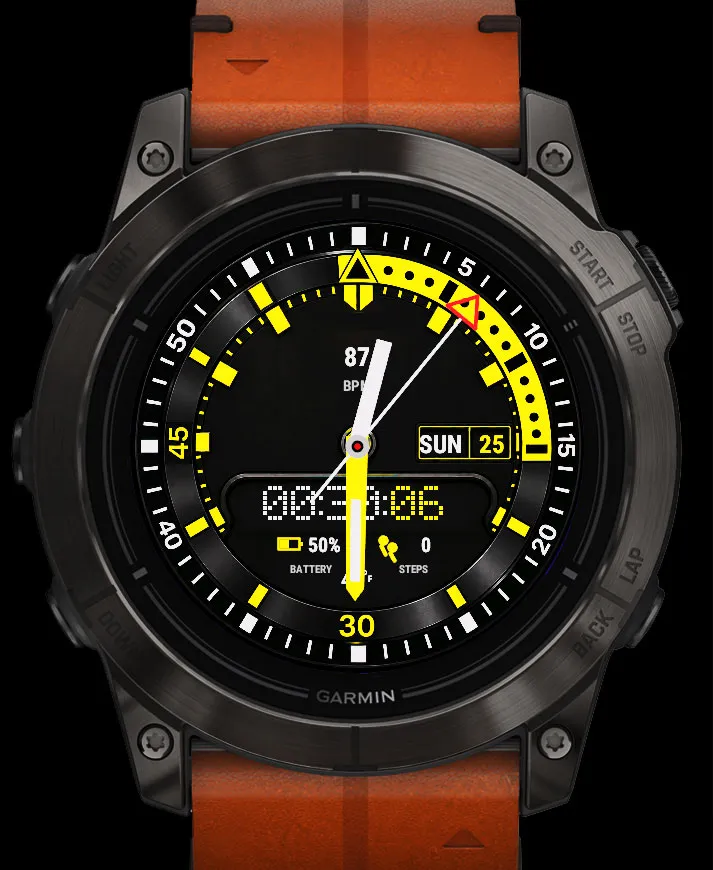
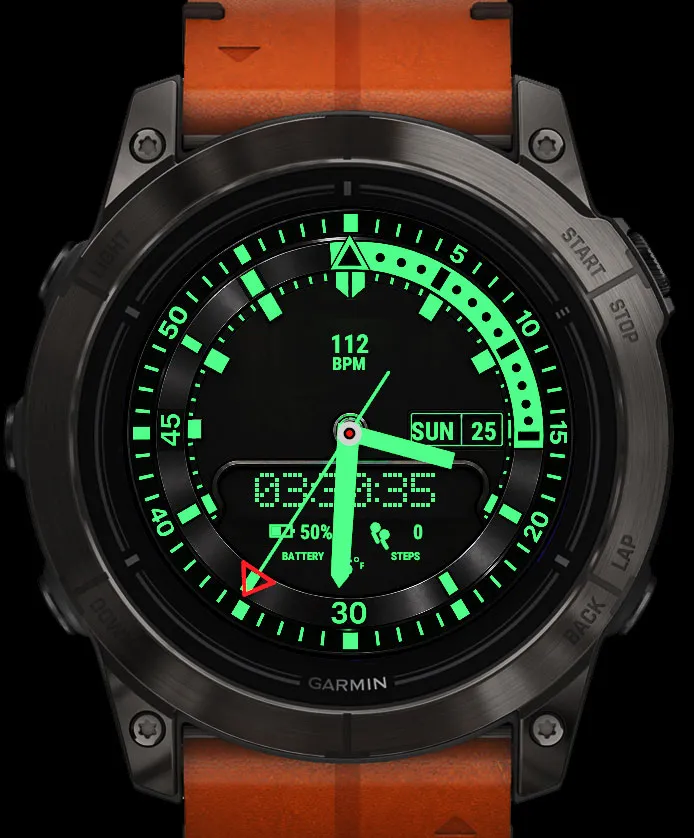
A watch face you might find yourself checking just to admire the beautifully sweeping seconds hand, operate the animated rotating bezel, or enjoy the striking Green Lume dial.
You might even find yourself checking your watch twice — once to admire it, and once to actually tell the time!
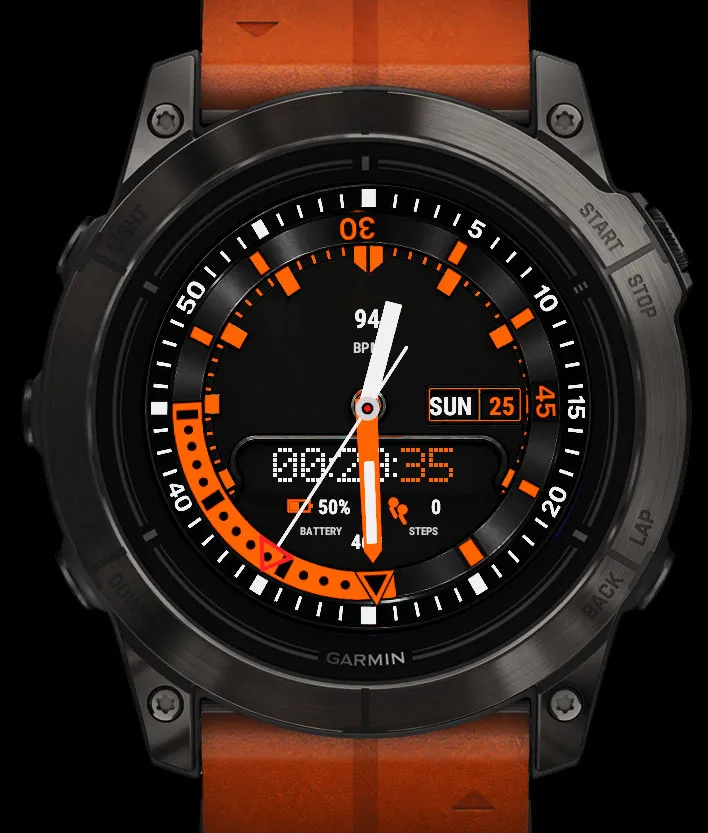
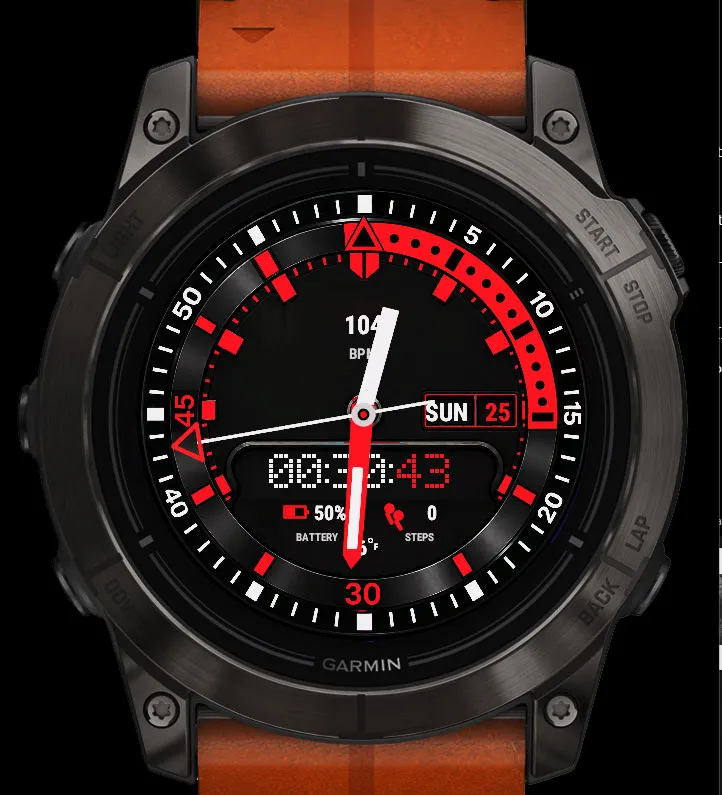
With four distinctive colour themes, an enlarged retro OLED digital clock, a configurable information display and intuitive touch controls, Dive Time combines timeless styling with everyday practicality.
## Four distinctive colour themes
- **Green Lume** – Brilliant luminous green inspired by traditional dive-watch illumination.
- **Orange** – Vibrant orange detailing with contrasting white chapter-ring markings.
- **Yellow** – Bold yellow illumination with classic instrument styling.
- **Red** – Striking red accents against a deep black dial.
Switch between colourways using the watch-face settings or the on-watch configuration menu.
**Instant Green Lume:** Touch and hold the centre of the watch hands to switch directly to Green Lume. Touch and hold again to return to your original colour.
Green Lume is also available as a permanent colour selection.
## Features
- Four selectable colour themes
- Mechanical-style sweeping seconds hand
- Smooth animated counter-clockwise rotating timing bezel
- Analogue hour, minute and seconds hands
- Enlarged retro OLED block-style digital clock with hours, minutes and seconds
- Large, centrally aligned day and date display
- Customisable upper information display
- Nine selectable health, activity and watch-data monitors
- Battery percentage
- Daily step count
- Temperature display (where supported)
- Three independent touch-and-hold controls
- On-watch configuration menu
- Garmin Connect IQ settings support
- Saved display and colour preferences
- Designed for compatible Garmin AMOLED watches
## Customisable information display
DT1 features a clean, configurable upper display, allowing you to choose the information most useful to you.
Select from nine available monitors:
1. **Heart Rate** – Current heart rate in BPM
2. **Steps** – Daily step count
3. **Battery** – Remaining watch battery percentage
4. **Body Battery** – Garmin Body Battery energy level
5. **Stress** – Current stress measurement
6. **Calories** – Daily calorie information
7. **Floors Climbed** – Daily floors climbed
8. **Altitude** – Current altitude in metres
9. **Intensity Minutes** – Activity intensity minutes
Each measurement is displayed as a clear numerical value with a descriptive label beneath it.
**To change the display:** Touch and hold the upper information area to cycle through the available monitors.
Alternatively, select your preferred measurement directly through the on-watch configuration menu or Connect IQ watch-face settings.
Your selection is remembered when changing colour themes.
*Some measurements depend on device compatibility, available sensors and Garmin data availability.*
## Three convenient long-press controls
Control key DT1 features directly from the watch face.
**Upper information display**
Touch and hold to change the selected monitor.
**Centre of the watch hands**
Touch and hold to activate Green Lume. Touch and hold again to return to your previously selected colour.
**Outer bezel ring**
Touch and hold to set or reset the animated rotating timing bezel.
## Using the Rotating Timing Bezel
DT1 features an interactive timing bezel inspired by traditional mechanical dive watches.
**To SET the bezel:**
Touch and hold the outer bezel ring.
The bezel animates coun
What is new
Initial release of Dive Time v1.0.0.
Release v1.0.1. Updated bezel detail and new colourway
Screenshots