Description
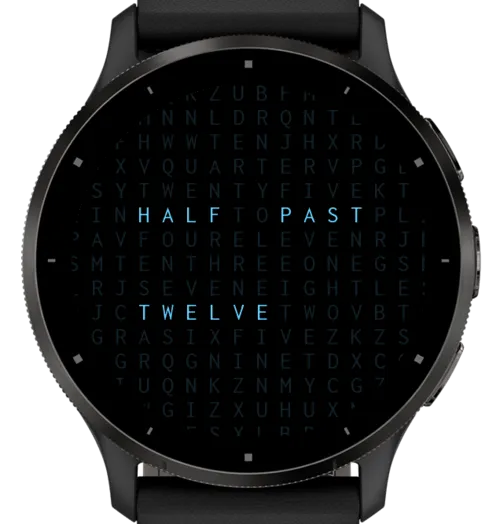
Mini Glyphs is a word-clock watch face for compatible Garmin AMOLED watches. It highlights English time phrases within a grid of letters, with quieter background letters surrounding them.
Read phrases such as “QUARTER PAST TEN” or “HALF PAST TWELVE”. The time is rounded to the nearest five minutes, so 10:32 reads “HALF PAST TEN” and 10:33 reads “TWENTY FIVE TO ELEVEN”.
Features
• English word-clock display in a letter grid.
• Time rounded to the nearest five minutes.
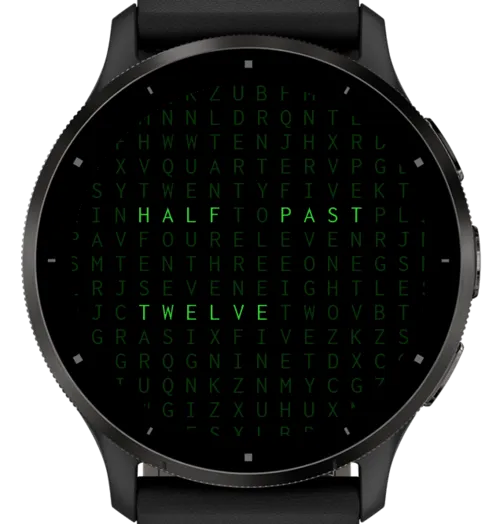
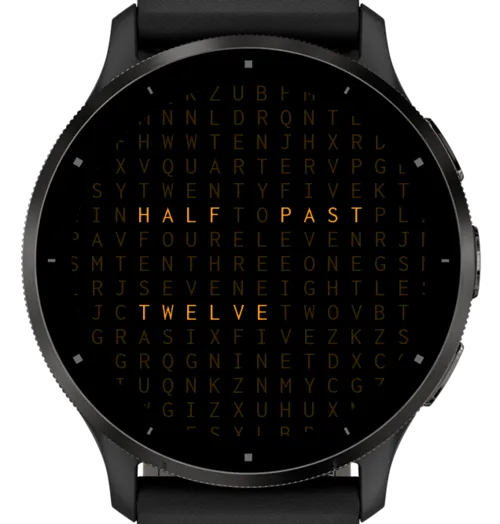
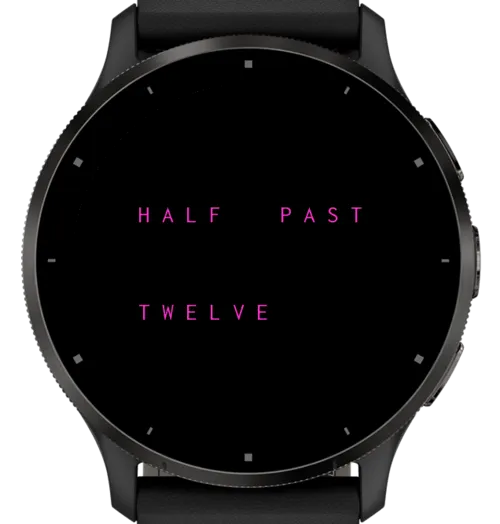
• Seven color presets: blue, green, gray, orange, pink, red and yellow.
• Separate custom RGB controls for highlighted words and background letters.
• Background-letter brightness from 0 to 100%; set it to 0 to hide the background grid.
• A compact gray time phrase in always-on mode, alternating between upper and lower positions each minute.
• Optional sleep layout that hides background letters during your configured sleep hours.
The default color preset is orange, with background brightness set to 60%. Change your preferences in the watch face settings in Connect IQ. Enable Use custom colors to apply your own red, green and blue values, from 0 to 255.
The sleep layout uses the sleep and wake times in your Garmin profile and requires User Profile access. It is separate from the watch's always-on display setting.
Mini Glyphs is designed for AMOLED screens and displays time in English only. See Compatible Devices for supported watches.
Screenshots
Supported language (1)
Compatible devices (73)
Approach® S50
Approach® S70 (42mm)
Approach® S70 (47mm)
Approach® S72 - 43 mm
Approach® S72 - 47 mm
D2™ Air
D2™ Air X10
D2™ Air X15
D2™ Mach 1
D2™ Mach 1 Pro
D2™ Mach 2
D2™ Mach 2 Pro
Descent™ G2
Descent™ MK3 - 43mm
Descent™ MK3i - 51mm
epix™ (Gen 2)
epix™ (Gen 2)
epix™ Pro (42mm)
epix™ Pro (47mm)
epix™ Pro (51mm)
fēnix® 8 AMOLED (43mm)
fēnix® 8 AMOLED (47mm/51mm)
fēnix® 8 Pro
fenix® 9 - 43 mm
fenix® 9 – 47 mm
fenix® 9 Pro - 43 mm
fenix® 9 Pro - 47 mm
fenix® 9 Pro - 51 mm
fēnix® E
Forerunner® 165
Forerunner® 165 Music
Forerunner® 170
Forerunner® 170 Music
Forerunner® 265
Forerunner® 265S
Forerunner® 570 - 42mm
Forerunner® 570 - 47mm
Forerunner® 70
Forerunner® 70
Forerunner® 965
Forerunner® 970
Instinct® 3 – 45 mm, AMOLED
Instinct® 3 – 50 mm, AMOLED
Instinct® Crossover AMOLED
MARQ® (Gen 2)
MARQ® Adventurer (Gen 3)
MARQ® Commander (Gen 2) – Carbon Edition
MARQ™ Aviator (Gen 2)
Mercedes-Benz Venu®
Mercedes-Benz Venu®
Mercedes-Benz Venu® 2
Mercedes-Benz Venu® 2
Mercedes-Benz Venu® 2S
Mercedes-Benz Venu® 2S
tactix® 7 – AMOLED Edition
tactix® 8 – 47 mm, AMOLED
Venu®
Venu®
Venu® 2
Venu® 2
Venu® 2 Plus
Venu® 2 Plus
Venu® 2S
Venu® 2S
Venu® 3
Venu® 3S
Venu® 4 – 41 mm
Venu® 4 – 45 mm
Venu® Sq. 2
Venu® Sq. 2 Music
Venu® X1
vívoactive® 5
vívoactive® 6
Recent metric trend
Rating
Reviews
Snapshot dates
2026-11-01 → 2026-11-29