Popis
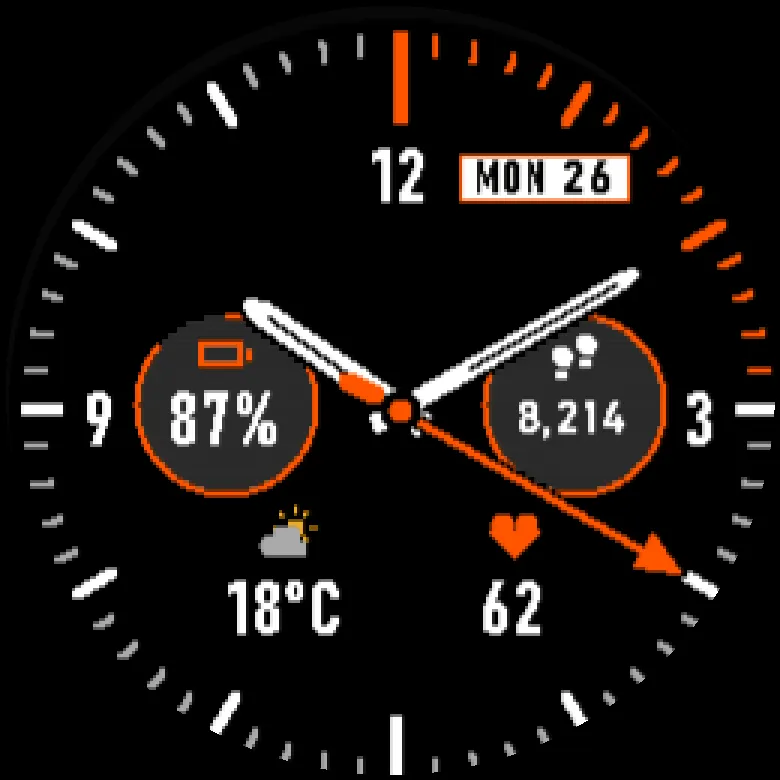
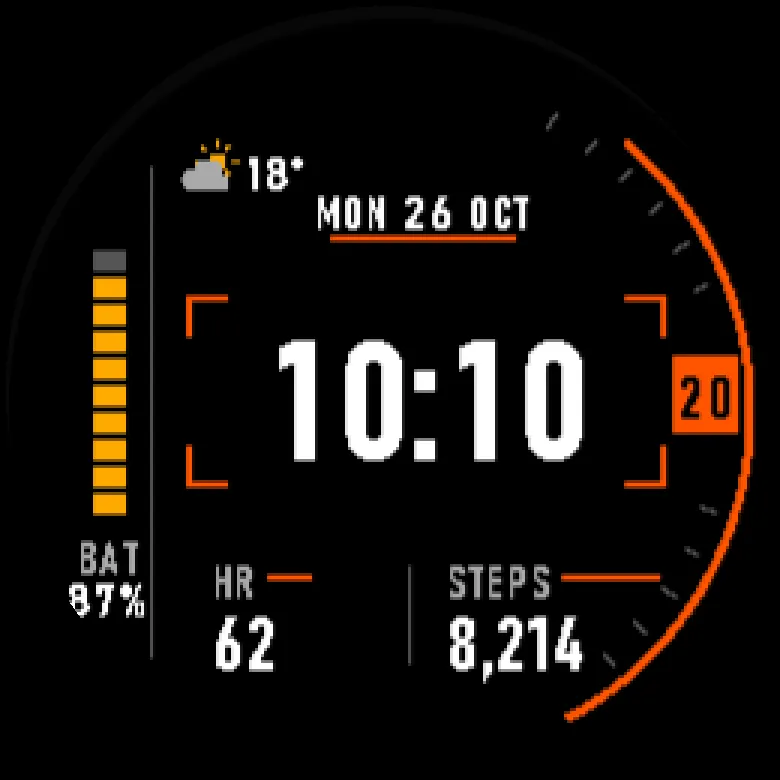
Ember is a field-terminal watch face: black background, orange instrument lines, and a page behind every reading. Choose a digital or an analog home screen, and press and hold any reading to open its page.
TWO HOME SCREENS
Digital: a large clock with a seconds box, the date, a battery rail, weather, heart rate and steps. Analog: a dial with a two-tone bezel (orange from 12 to 3), battery and step gauges, weather, heart rate, a framed date window and an orange seconds hand that keeps running in low power. Press and hold just above the top of the display to switch; the face remembers your choice.
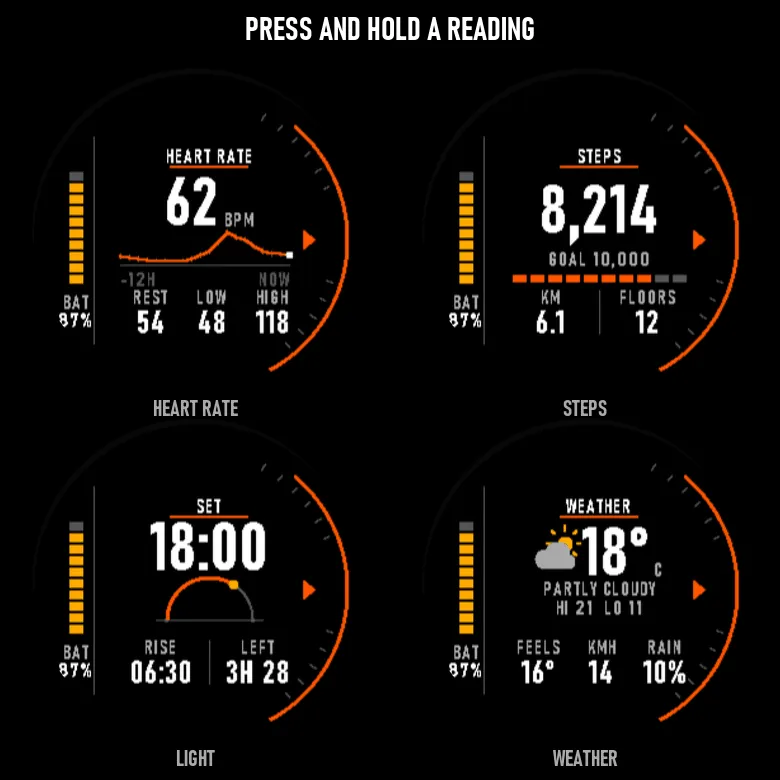
PRESS AND HOLD A READING
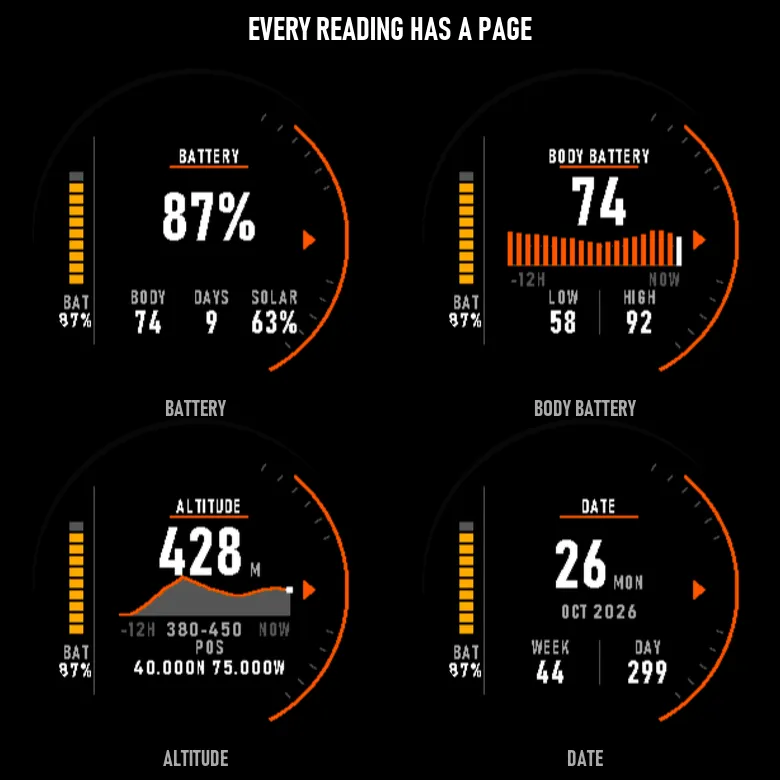
Every reading opens its own page, and every page goes back by itself after 30 seconds.
- Heart rate: current, resting, and the low and high of the last 12 hours, with a 12-hour graph
- Steps: progress toward your goal, distance and floors climbed
- Battery: charge, Body Battery and days of battery left (plus charging and solar, on watches that report them)
- Light: sunrise and sunset, a sun arc, daylight left (or time to sunrise at night)
- Weather: temperature with a condition icon, high and low, feels like, wind and chance of rain
- Body Battery: a 12-hour graph with the low and high
- Altitude: a 12-hour altitude profile
- Date: day, week number and day of the year
Press and hold the arrow on the right edge of a page to jump to the page related to it.
NIGHT VISION
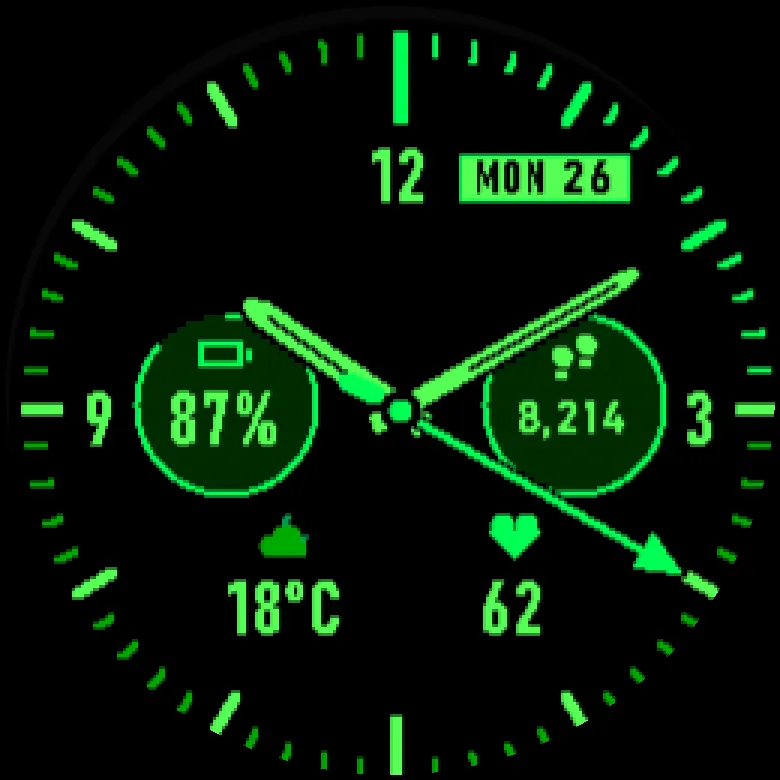
From sunset to sunrise the whole face turns green on black, with nothing bright. It uses your real sunrise and sunset, so it needs a location from the watch, and falls back to 6 PM to 6 AM when it has no location at all.
TRUTHFUL READINGS
When a reading is not available, the face shows -- instead of a made-up number. Weather older than six hours is not shown. Heart rate is the latest reading the watch has.
SETTINGS IN GARMIN CONNECT
- Time format: Follow the watch settings, 12 hour (AM / PM) or 24 hour.
- Temperature: Follow the watch settings, Fahrenheit or Celsius.
- Distance, wind and altitude: Follow the watch settings, miles, mph and feet, or kilometers, km/h and meters.
- Seconds: On or Off.
UNITS AND LANGUAGE
Time format, temperature, distance, wind and altitude follow your watch until you choose otherwise in Garmin Connect (see SETTINGS IN GARMIN CONNECT). The text on the watch (day and month names and every label) is English, or French when the watch is set to French.
COMPATIBILITY
Made for fenix 7, fenix 7 Pro, fenix 7 Pro (no Wi-Fi), fenix 8 Solar 47mm, fenix 9 Pro Solar 47mm and Forerunner 955.
NOTES
A watch face receives press and hold only, not taps or swipes, so reading pages open with a hold. Weather, sunrise and sunset, and Night Vision need a location and weather data from the watch; Body Battery needs a watch that supports it.
Čo je nové
Version 1.0.3: new settings in Garmin Connect. Choose 12 hour (with AM / PM), 24 hour or follow the watch for the time format. Choose Fahrenheit or Celsius, and miles or kilometers, or follow the watch. Turn the seconds on or off. Also adds support for fenix 7 Pro, fenix 7 Pro (no Wi-Fi), fenix 9 Pro Solar 47mm and Forerunner 955.
Snímky obrazovky
Podporované jazyky (2)
Kompatibilných zariadení (7)
Nedávny trend metrík
Hodnotenie
Recenzie
Dátumy snímok
2026-10-29 → 2026-11-25